




 Infectious Mooshroom! “Placing Blocks with Block States!”
 Infectious Mooshroom! “Placing Blocks with Block States!”
How to Set Up the Command Blocks
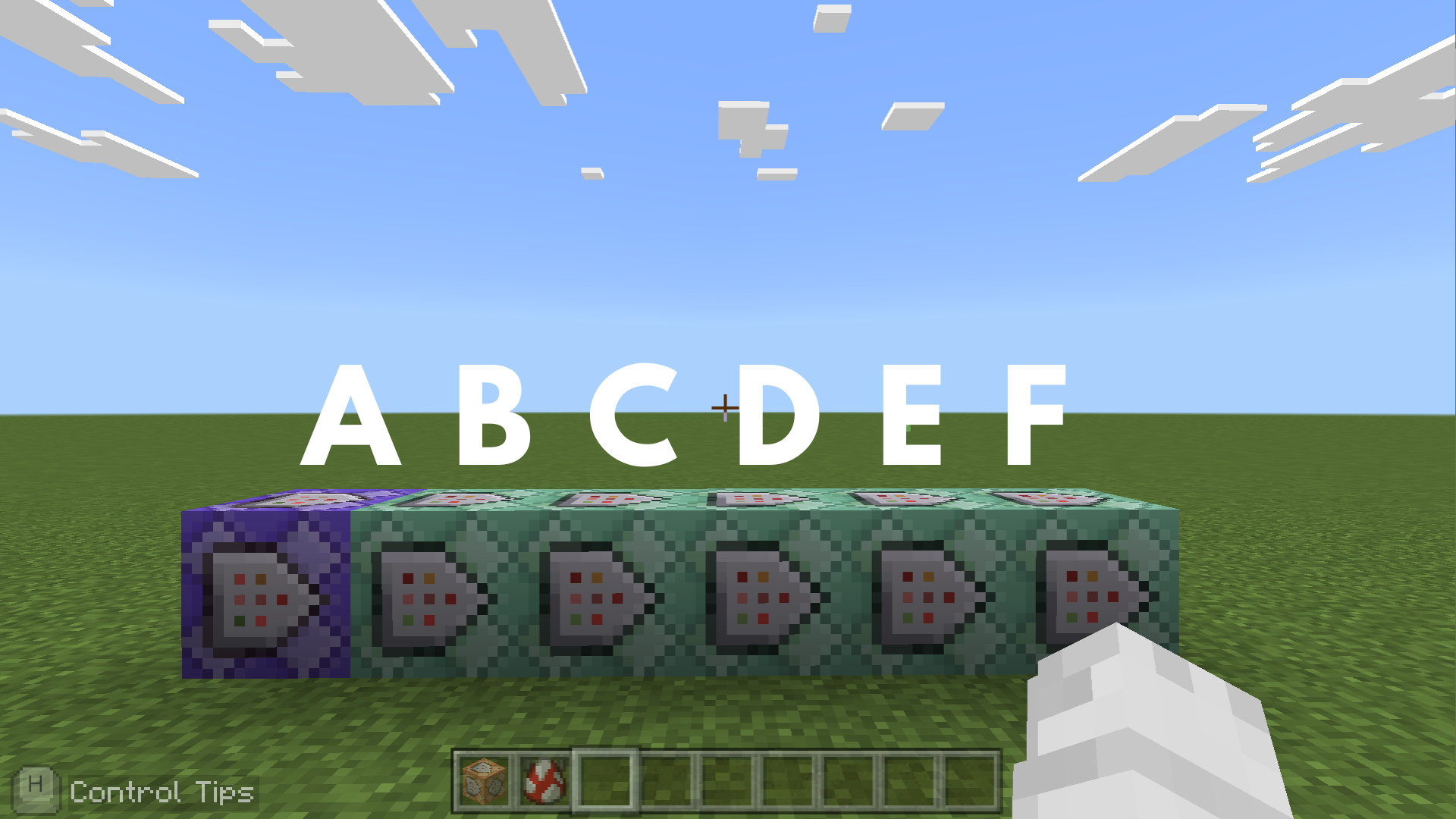
Command entered in the Command Block:
Command Block A
 Block Type: Repeat / Redstone: Always Active
/execute as @e[type=mooshroom] at @s run tp @s ^^^0.1 facing @e[family=mob,type=!mooshroom,c=1]
➡️ This makes the mooshroom slowly approach the nearest mob.
Command Block B
 Block Type:Chain / Redstone: Always Active
/execute as @e[type=mooshroom] if block ~~-0.1~ air run tp ~~-0.1~
➡️ This makes sure the mooshroom stays on the ground and doesn’t float in the air.
Command Block C
Block Type:Chain / Redstone: Always Active
/execute as @e[type=mooshroom] at @s run setblock ~~-1~ red_mushroom_block["huge_mushroom_bits"=1]
➡️ This creates a visual effect where the mooshroom leaves a trail of red mushroom blocks.
Command Block D
Block Type:Chain / Redstone: Always Active
/execute as @e[type=mooshroom] at @s run tag @e[family=mob,type=!mooshroom,r=2] add target
➡️ This marks other mobs near the mooshroom with a target tag, creating the effect of a spreading infection.
Command Block E
Block Type:Chain / Redstone: Always Active
/execute as @e[tag=target] at @s run summon mooshroom
➡️ This creates a visual effect where the “infected” mob transforms into a mooshroom.
Command Block F
Block Type:Chain / Redstone: Always Active
/execute as @e[tag=target] at @s run tp ~~-999~
➡️ The result: This makes the original infected mob disappear from the screen, completing the transformation effect.
Minecraft: Education Edition is a version of Minecraft specifically designed for educational use. It aims to help students develop skills in creative problem-solving, collaboration, and communication. A key feature is the ability to learn programming through tools like MakeCode and Python. It also provides specialized features for the classroom, including teacher management tools, lesson plans, and educational content.