


 Command Block: Repeat
 Command Block: Repeat

- Feature: It runs repeatedly. It continuously runs a command 20 times per second, so you can make things happen constantly, like dropping items or giving a player a permanent power-up.
- Uses: Use it when you need a continuous effect. For example, you can make a player run fast constantly or continuously apply an effect.
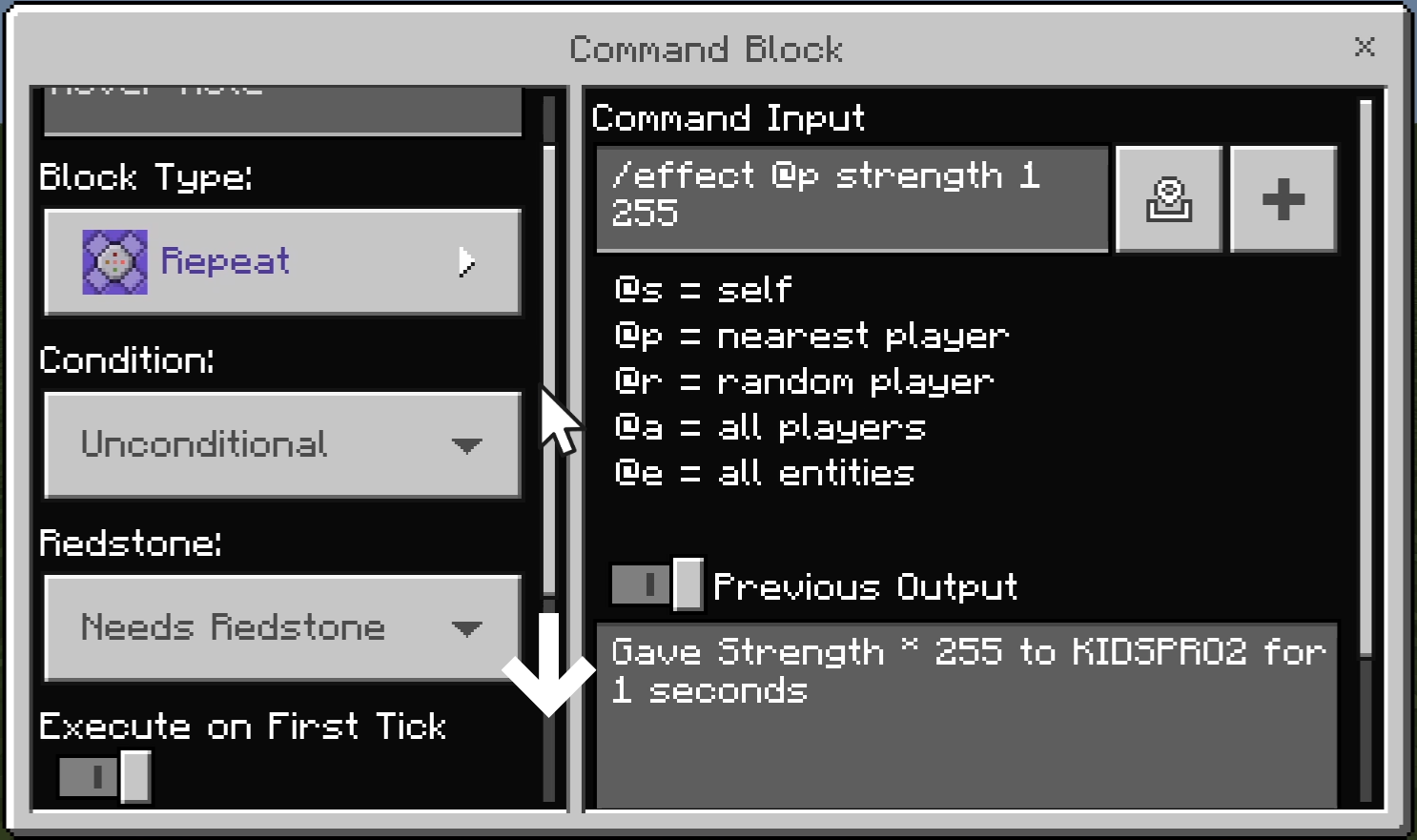
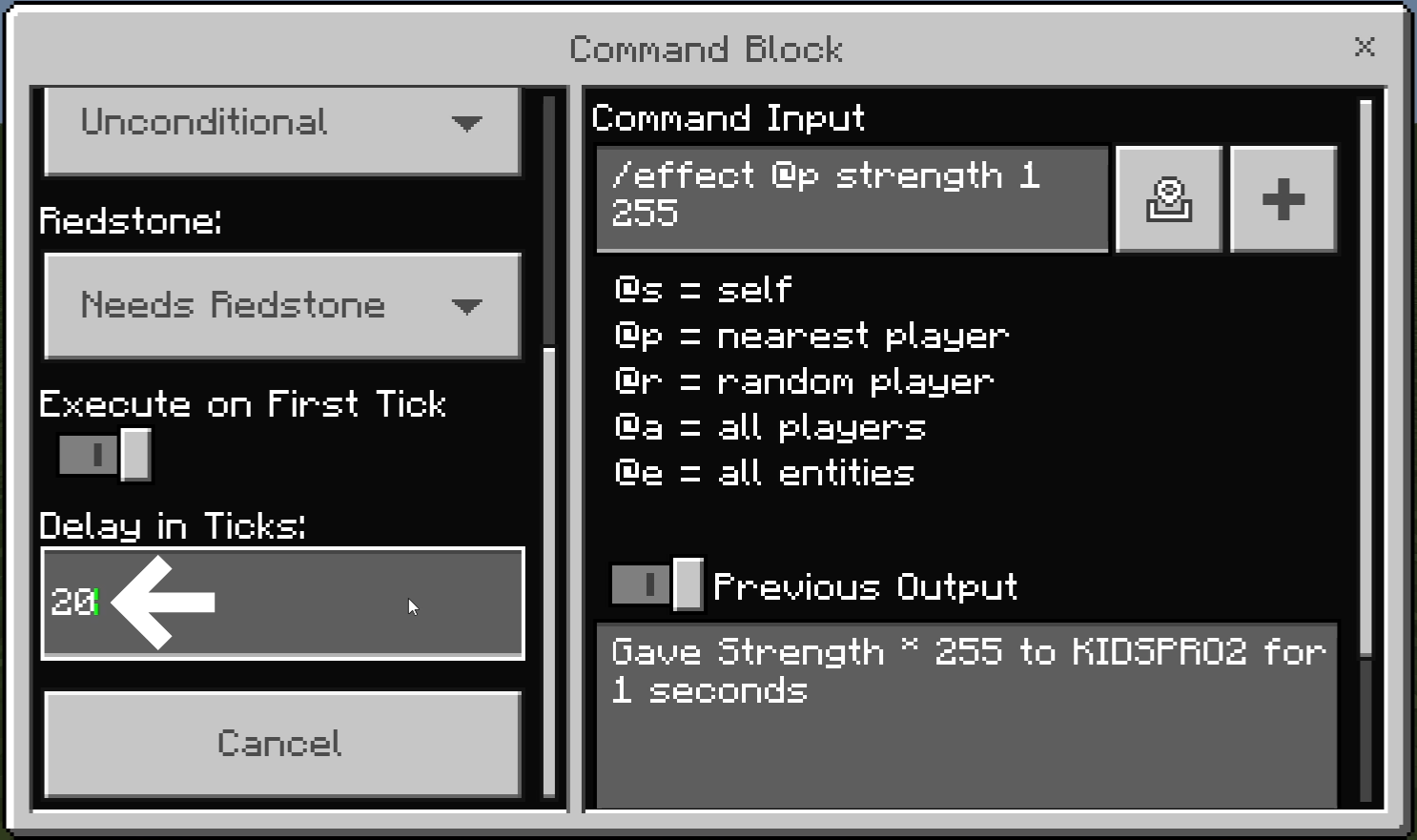
- Example: Let’s use a Repeat command block to give the player a max-level (255) Strength effect that lasts only as long as a lever is turned on.
Command entered in the Command Block:
 Block Type: Repeat / Redstone: Needs Redstone
/effect @p strength 1 255
(Gives a diamond sword to the player)
[/box]
By changing the command to /effect @p strength 9999 255, you can give the player Level 255 Strength for 9,999 seconds—even with an Impulse command block. However, in this case, the effect will not disappear when you turn the lever off. It will remain active for the full 9,999 seconds unless you drink milk or use the /effect @p clear command.
The Repeat command block is used when you want to execute a command continuously. Because of this, repeating an incorrect or processor-intensive command can cause lag or even crash your game.
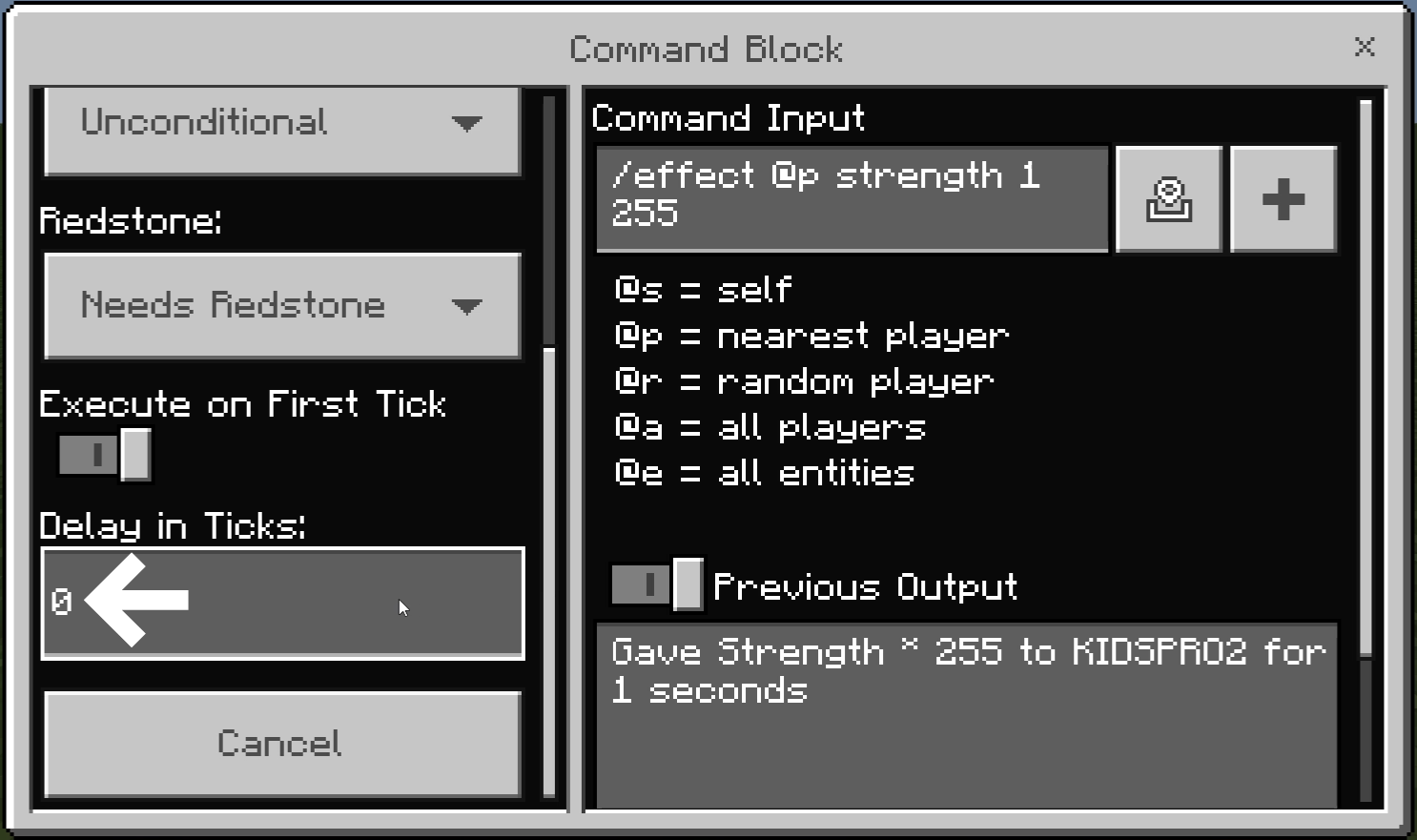
You can adjust the “Delay in Ticks” setting to reduce how often the command runs:
- Drag the slider in the settings window to scroll down.

- With a tick delay of “0,” the command runs 20 times per second.
- By setting the tick delay to “20,” the command will run only once per second (since 20 ticks = 1 second).
Minecraft: Education Edition is a version of Minecraft specifically designed for educational use. It aims to help students develop skills in creative problem-solving, collaboration, and communication. A key feature is the ability to learn programming through tools like MakeCode and Python. It also provides specialized features for the classroom, including teacher management tools, lesson plans, and educational content.