


 Command Block: Impulse
 Command Block: Impulse

- Feature: It runs after another command block. For example, it can be used to run commands in a sequence after an Impulse block is activated.
- Uses: Use it for creating a series of events. For instance, you can create a “story-driven” mechanism that gives a player an item and then teleports them.
- Example: Let’s link two Chain command blocks to an Impulse command block. This will give the player a diamond sword, then place monsters nearby, and finally change their game mode to Survival.
Command entered in the Command Block:
 Block Type: Impulse / Redstone: Needs Redstone
/give @p diamond_sword
(Gives a diamond sword to the player)
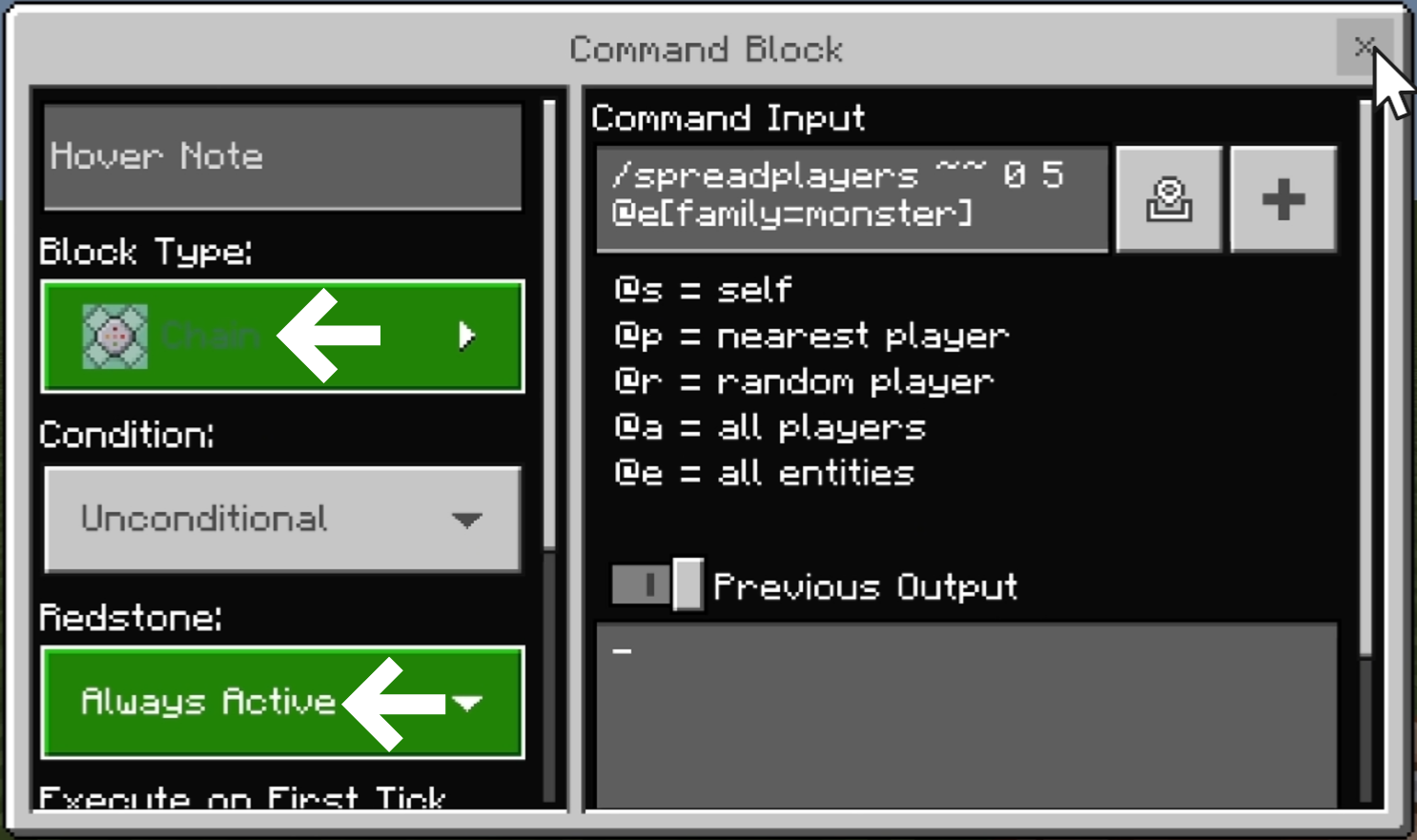
Block Type: Chain / Redstone: Always Active
/spreadplayers ~~ 0 5 @e[family=monster]
(Randomly teleports nearby monsters within a 5-block radius of the command block)
Block Type: Chain / Redstone: Always Active
/gamemode s @p
(Changes the player’s game mode to Survival)
The direction of the arrows is crucial for running commands in a sequence. For a Chain command block to function correctly, the arrow on the preceding block must be pointing toward it.
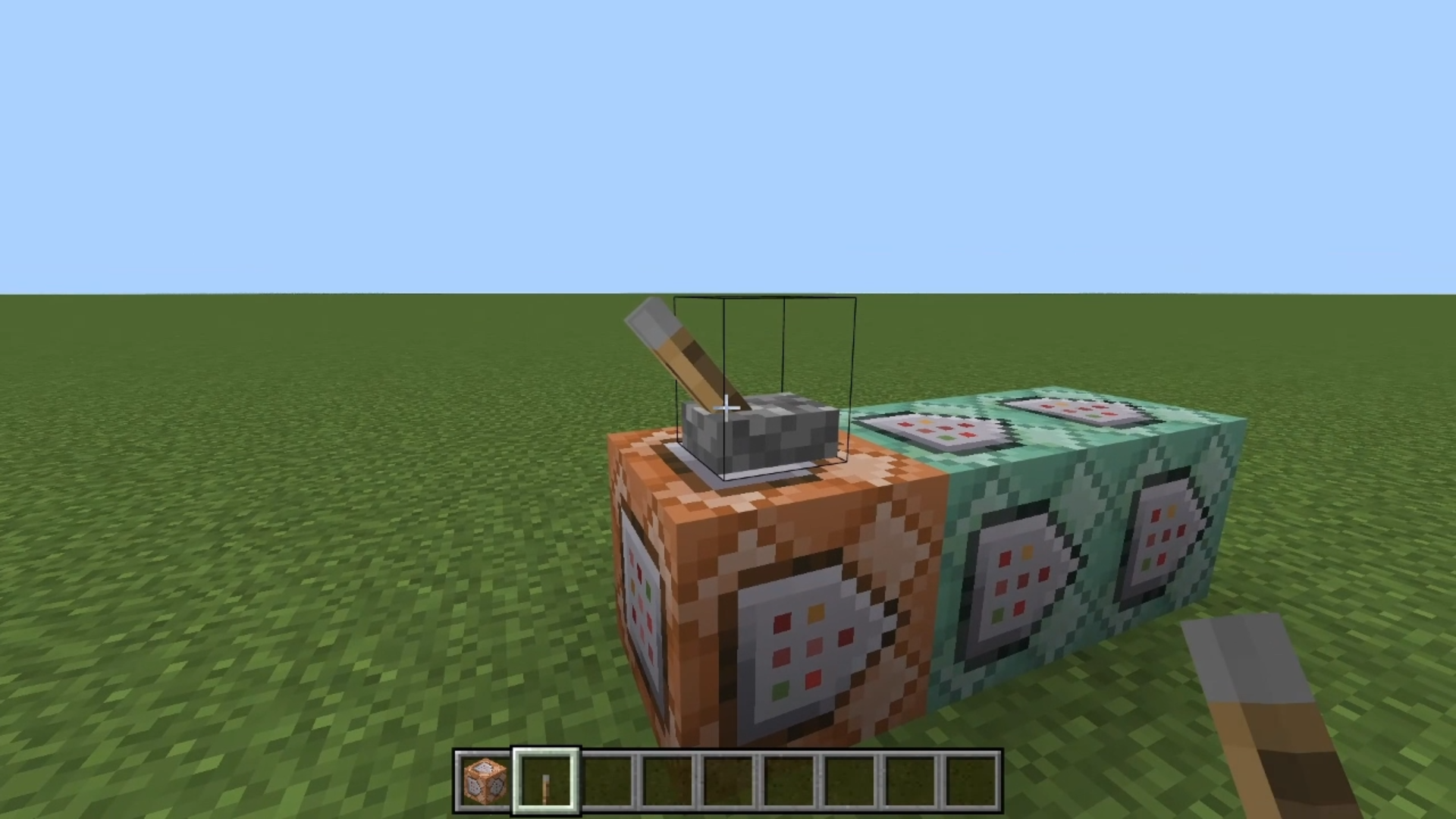
- Stand in the direction you want the arrows to face.
- While holding the “Shift” key, place the command blocks to align them in the same direction!
Chain command blocks should almost always be set to “Always Active” to ensure they are constantly on standby. Be careful, as they may not function correctly if set to “Needs Redstone.”
-
Chain command blocks are designed to be used in a series, linked to an Impulse or Repeat command block.
-
In almost all cases, the Redstone setting for Chain blocks should be set to “Always Active.”
Minecraft: Education Edition is a version of Minecraft specifically designed for educational use. It aims to help students develop skills in creative problem-solving, collaboration, and communication. A key feature is the ability to learn programming through tools like MakeCode and Python. It also provides specialized features for the classroom, including teacher management tools, lesson plans, and educational content.