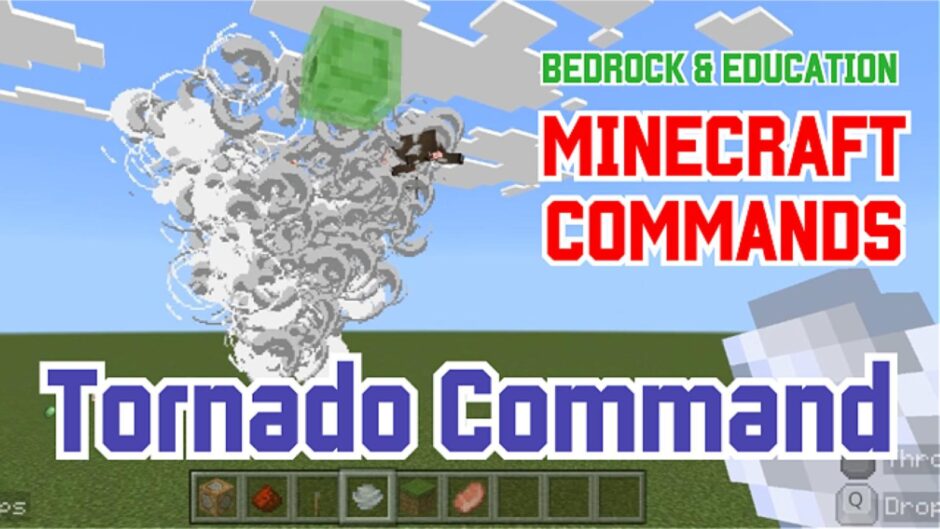



 Tornado Spell Command! “Trick #Extra1: Tornade Command based on “
 Tornado Spell Command! “Trick #Extra1: Tornade Command based on “
How to Set Up the Command Blocks
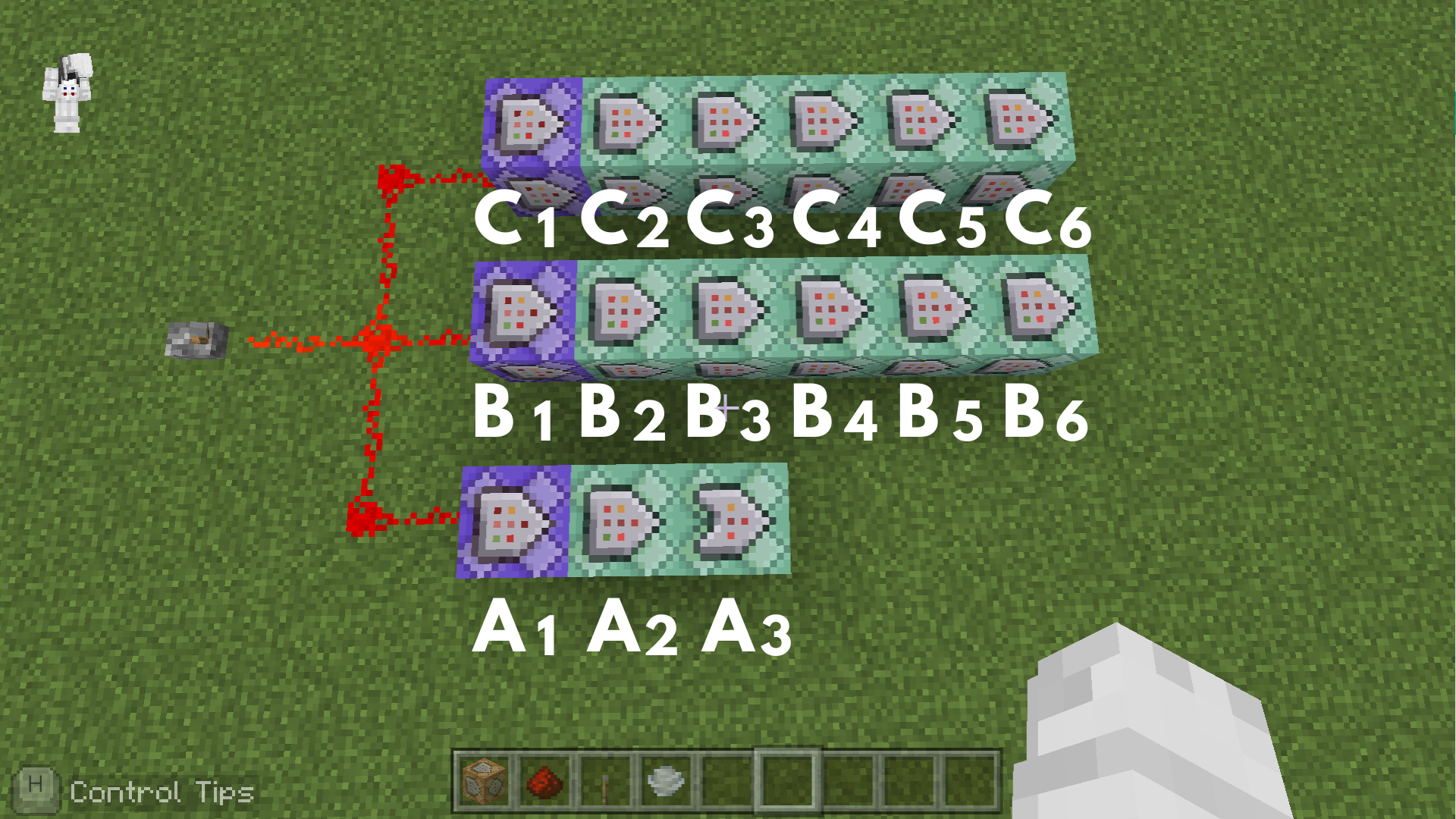
Command entered in the Command Block:
Command Block A1
 Block Type: Repeat / Redstone: Always Active
/execute as @e[type=wind_charge_projectile] at @s run kill @e[type=armor_stand]
➡️ This removes any existing armor stands to ensure the new tornado center is set up correctly.
Command Block A2
 Block Type:Chain / Redstone: Always Active
/execute as @e[type=wind_charge_projectile] at @s unless block ~~-1~ air run summon armor_stand
➡️ This summons an armor stand at the impact point when the wind charge hits the ground or a block.
Command Block A3
Block Type:Chain / Conditional / Redstone: Always Active
/kill @e[type=wind_charge_projectile]
➡️ This immediately deletes the wind charge projectile once the armor stand has been successfully spawned.
Command Block B1
Block Type: Repeat / Redstone: Always Active (Delay in Ticks: 20)
/execute as @e[type=armor_stand] at @s run tag @e[family=mob,rm=0.1,r=20] add target
➡️This tags nearby mobs within a 20-block radius of the armor stand to mark them as tornado targets.
Command Block B2
Block Type:Chain / Redstone: Always Active
/scoreboard players add @e[tag=target] tornado_timer 1
➡️ This increments the custom timer score for all targeted mobs to track how long they have been in the tornado.
Command Block B3
Block Type:Chain / Redstone: Always Active
/execute as @e[tag=target,scores={tornado_timer=0..50}] at @s run tp @s ^1^^0.4 facing @e[type=armor_stand]
➡️ This teleports the targets to lift them upward and pull them inward during the initial phase of the tornado.
Command Block B4
Block Type:Chain / Redstone: Always Active
/execute as @e[tag=target,scores={tornado_timer=51..200}] at @s run tp @s ^1^0.2^ facing @e[type=armor_stand]
➡️ This keeps the targets spinning around the center at a steady height during the main phase of the vortex.
Command Block B5
Block Type:Chain / Redstone: Always Active
/execute as @e[tag=target] run scoreboard players reset @s[scores={tornado_timer=301..}] tornado_timer
➡️ This resets the timer score for mobs that have completed the full duration of the tornado effect.
Command Block B6
Block Type:Chain / Redstone: Always Active
/tag @e[tag=target,scores={tornado_timer=301..}] remove target
➡️ This removes the target tag from the mobs after the timer ends, successfully releasing them from the tornado.
Command Block C1
Block Type: Repeat / Redstone: Always Active
/effect @e[type=armor_stand] invisibility 1 1 true
➡️ This turns the armor stand completely invisible with no particles so that only the wind effect is seen.
Command Block C2
Block Type:Chain / Redstone: Always Active
/execute as @e[type=armor_stand] at @s run particle minecraft:wind_explosion_emitter ^ ^2 ^
➡️ This creates a wind explosion particle effect near the base of the invisible armor stand.
Command Block C3
Block Type:Chain / Redstone: Always Active
/execute as @e[type=armor_stand] at @s run particle minecraft:wind_explosion_emitter ^ ^4 ^-2
➡️ This spawns a second wind particle slightly higher and offset to build the spiral shape of the tornado.
Command Block C4
Block Type:Chain / Redstone: Always Active
/execute as @e[type=armor_stand] at @s run particle minecraft:wind_explosion_emitter ^ ^6 ^-3
➡️ This spawns a third wind particle even higher up to extend the vortex upward.
Command Block C5
Block Type:Chain / Redstone: Always Active
/execute as @e[type=armor_stand] at @s run particle minecraft:wind_explosion_emitter ^ ^8 ^-4
➡️ This places the highest wind particle effect to complete the tall visual structure of the swirling storm.
Command Block C6
Block Type:Chain / Redstone: Always Active
/execute as @e[type=armor_stand] at @s run tp @s ~ ~ ~ ~30 ~
➡️ This constantly rotates the armor stand by 30 degrees to drive the spinning motion of the entire tornado.
Minecraft: Education Edition is a version of Minecraft specifically designed for educational use. It aims to help students develop skills in creative problem-solving, collaboration, and communication. A key feature is the ability to learn programming through tools like MakeCode and Python. It also provides specialized features for the classroom, including teacher management tools, lesson plans, and educational content.