




 Rewind Time Magic! “Using Score Variables as a Selector Condition Filter!”
 Rewind Time Magic! “Using Score Variables as a Selector Condition Filter!”
How to Set Up the Command Blocks
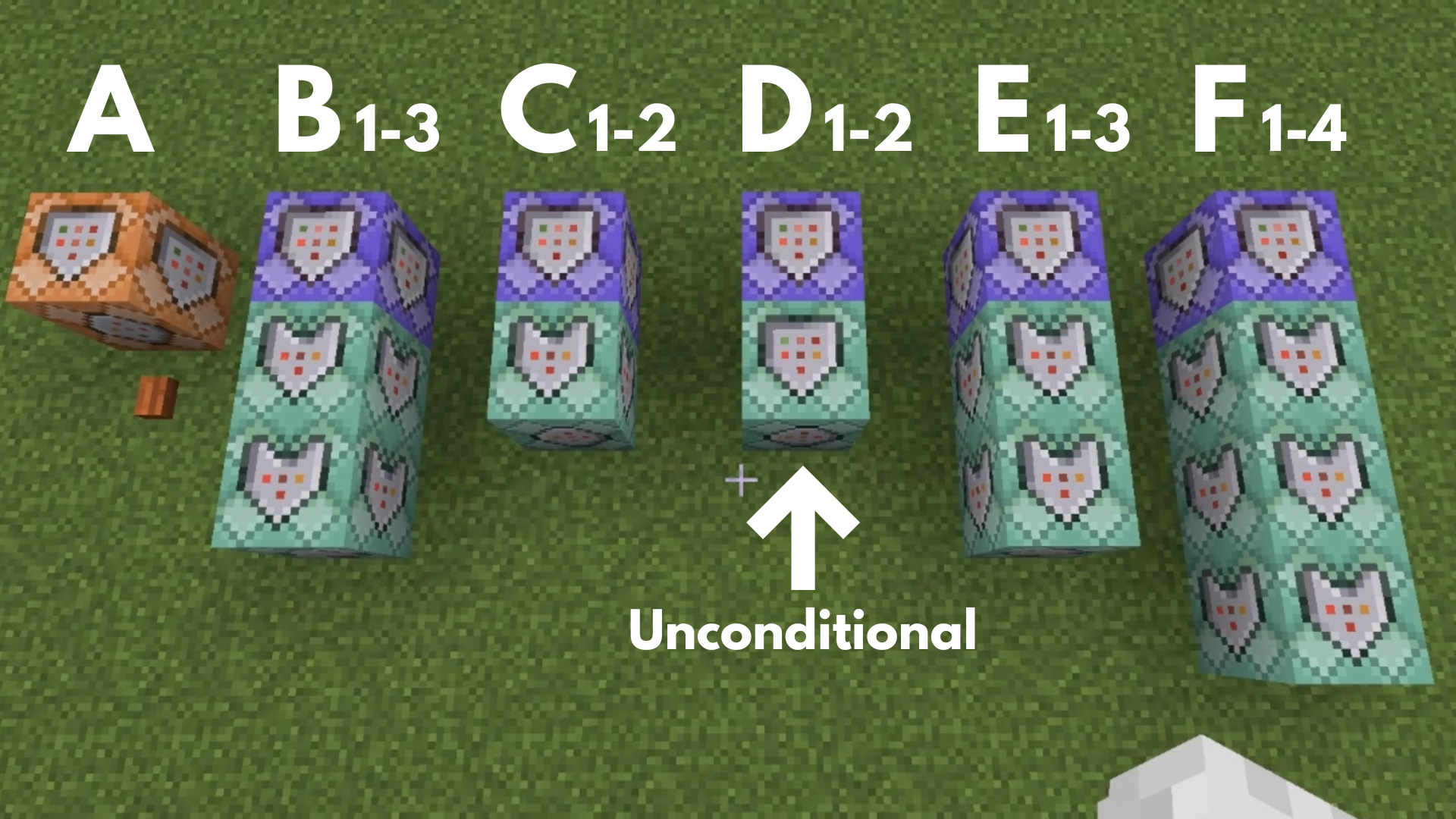
Command entered in the Command Block:
Command Block A
 Block Type: Impulse / Redstone: Needs Redstone
/scoreboard objectives add rewind dummy
➡️When you press the button placed in front of the Command Block, a scoreboard named “rewind” is created. This “rewind” score variable is used to record the number of armor stands spawned and is used for the rewind process.
Command Block B1
 Block Type:Repeat / Redstone: Always Active
/execute as @p[tag=!history_recording] at @s run kill @e[type=ender_pearl]
➡️ This is the trigger that executes Command Blocks B2 and B3, deleting the Ender Pearl only when the player is NOT in “history_recording” mode.
Command Block B2
 Block Type:Chain / Conditional / Redstone: Always Active
/tag @p[tag=!history_recording] add history_recording
➡️ This means the “history_recording” tag is added only when Command Block B1 succeeded, i.e., when an Ender Pearl was deleted while the player was NOT in “history_recording” mode.
Command Block B3
Block Type:Chain / Conditional / Redstone: Always Active
/tag @p remove rewinding
➡️ This means the “rewinding” tag is removed only when Command Block B1 succeeded, i.e., when an Ender Pearl was deleted while the player was NOT in “history_recording” mode, ending the rewinding process.
Command Block C1
Block Type: Repeat / Redstone: Always Active
(Tick Delay: 10 = 0.5 seconds)
/execute as @p[tag=history_recording] at @s run summon armor_stand ~~3~
➡️ This prepares the armor stands to record the position history.
Command Block C2
Block Type:Chain / Conditional / Redstone: Always Active
/scoreboard players add @e[type=armor_stand] rewind 1
➡️ This means that when Command Block C1 succeeds and an armor stand for position history is summoned, the history number of that armor stand increases by 1.
Command Block D1
Block Type: Repeat / Redstone: Always Active
/execute as @e[type=armor_stand] at @s run tp ~~~
➡️ This prevents the armor stands used for position history from falling even if they are summoned in the air.
Command Block D2
Block Type:Chain / Unconditional / Redstone: Always Active
/effect @e[type=armor_stand] invisibility 1 1 true
➡️ This makes the armor stands invisible.
Command Block E1
Block Type: Repeat / Redstone: Always Active
/execute as @p[tag=history_recording] at @s run kill @e[type=ender_pearl]
➡️ This is the trigger that executes Command Blocks E2 and E3, deleting the Ender Pearl only when the player IS in “history_recording” mode.
Command Block E2
Block Type:Chain / Conditional / Redstone: Always Active
/tag @p remove history_recording
➡️This means that when Command Block E1 succeeds, i.e., when an Ender Pearl was deleted while the player was in “history_recording” mode, the history recording process ends.
Command Block E3
Block Type:Chain / Conditional / Redstone: Always Active
/tag @p add rewinding
➡️ This means that when Command Block E1 succeeds, i.e., when an Ender Pearl was deleted while the player was in “history_recording” mode, this is the trigger to start the rewinding process.
Command Block F1
Block Type: Repeat / Redstone: Always Active
(Tick Delay: 2 = 0.1 seconds)
/execute as @p[tag=rewinding] at @s run tp @s @e[type=armor_stand,scores={rewind=1}]
➡️ This moves the player to the starting point of the rewind (the latest recorded position).
Command Block F2
Block Type:Chain / Conditional / Redstone: Always Active
/execute as @p[tag=rewinding] at @s run tp ~~-2~
➡️ This means that when Command Block F1 succeeds, i.e., when the rewinding player is teleported to the armor stand with rewind=1, this corrects the player’s position because the armor stand was placed 3 blocks above the player, and the teleport happens to the armor stand’s feet (which is 3 blocks above the original player position).
Command Block F3
Block Type:Chain / Conditional / Redstone: Always Active
/scoreboard players add @e[type=armor_stand] rewind -1
➡️ This means that when Command Block F1 succeeds, i.e., when the rewinding player is teleported to the armor stand with rewind=1, the history number is moved back by 1 (e.g., the position with rewind=2 is now the target for the next tick, as it becomes rewind=1).
Command Block F4
Block Type:Chain / Conditional / Redstone: Always Active
/kill @e[type=armor_stand, scores={rewind=0}]
➡️ This shows that the rewind process is finished and removes the unnecessary armor stands.
Minecraft: Education Edition is a version of Minecraft specifically designed for educational use. It aims to help students develop skills in creative problem-solving, collaboration, and communication. A key feature is the ability to learn programming through tools like MakeCode and Python. It also provides specialized features for the classroom, including teacher management tools, lesson plans, and educational content.