


 Angel’s Arrow! “Use the /particle Command for Visual Effects! ”
 Angel’s Arrow! “Use the /particle Command for Visual Effects! ”
How to Set Up the Command Blocks
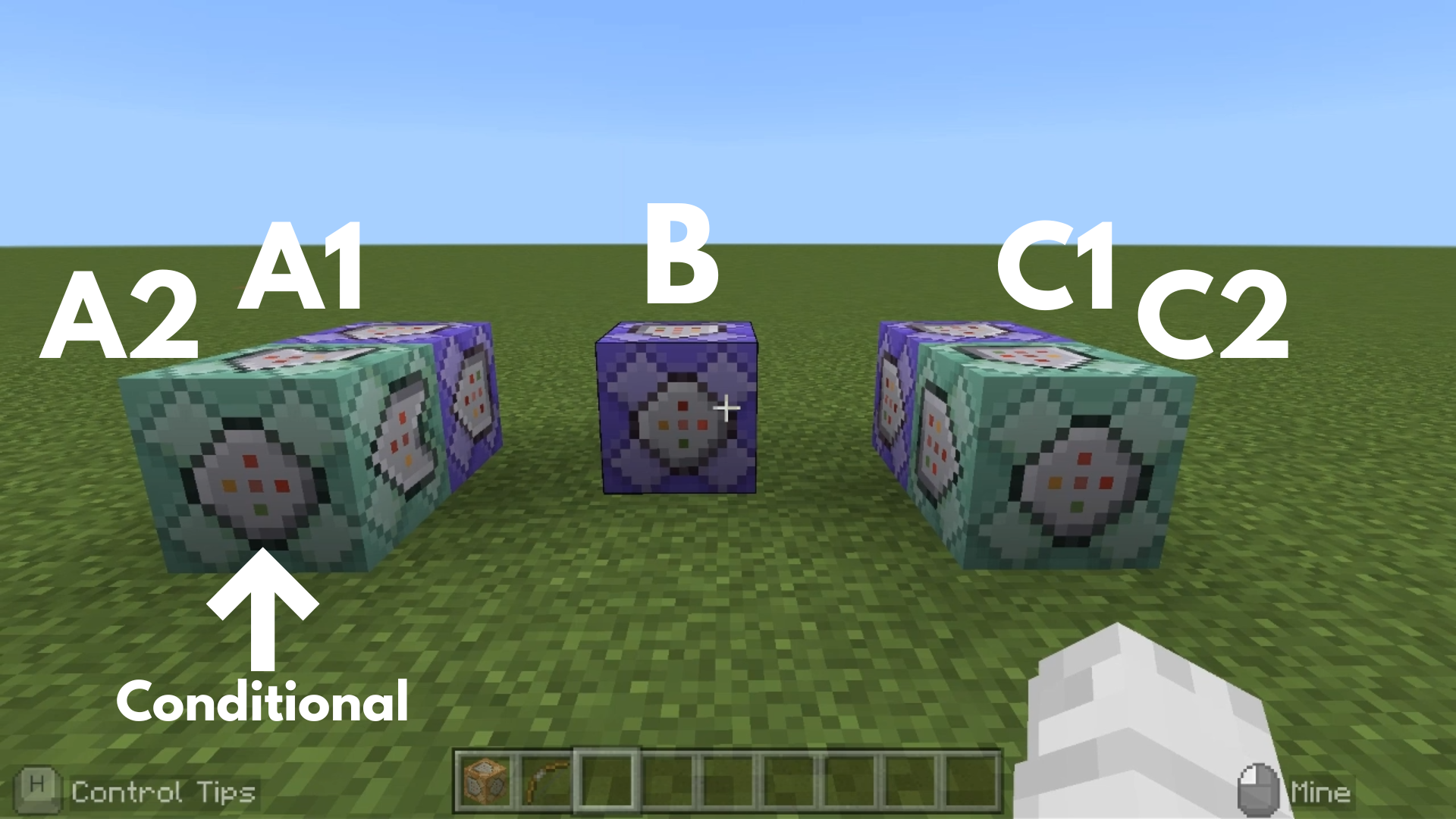
Command entered in the Command Block:
Command Block A1
 Block Type: Repeat / Redstone: Always Active
/execute as @e[type=arrow] at @s run tag@e[family=mob,r=3,c=1] add target
➡️ This makes the armor stands completely invisible for 10 seconds.
Command Block A2
 Block Type:Chain / Conditional / Redstone: Always Active
/kill @e[type=arrow]
➡️ This ensures that Command Block A2 only runs and deletes the arrow when Command Block A1 successfully tags a mob with “target.”
Command Block B
Block Type: Repeat / Redstone: Always Active
/execute as @e[type=arrow] at @s run particle minecraft:heart_particle ~~~
➡️ This causes heart particles to appear from the arrow.
Command Block C1
Block Type: Repeat / Redstone: Always Active
/execute as @e[tag=target] at @s run particle minecraft:heart_particle ~~2~
➡️ This makes heart particles appear over the head of the mob that was hit by the arrow and received the “target” tag.
Command Block C2
Block Type:Chain / Redstone: Always Active
/execute as @e[tag=target] at @s run tp ^^^0.2 facing @p
➡️ This makes the mob that was hit by the arrow and received the “target” tag start moving toward the player.
Minecraft: Education Edition is a version of Minecraft specifically designed for educational use. It aims to help students develop skills in creative problem-solving, collaboration, and communication. A key feature is the ability to learn programming through tools like MakeCode and Python. It also provides specialized features for the classroom, including teacher management tools, lesson plans, and educational content.